

Key Takeaways
- MCP hardening closes seven attack layers: network, process, dependencies, secrets, TLS, runtime monitoring, and CI/CD.
- Hardening assumes the auth layer is breached. Then it closes every path an attacker could use from that position.
- Run MCP servers as non-root, drop Linux capabilities, enforce TLS 1.3, and restrict egress to declared tool backends.
- A CI/CD gate blocks deploys with root containers, exposed secrets, missing TLS 1.3, or critical CVEs in dependencies.
Authentication is not hardening. Authorization is not hardening. Both are prerequisites for a secure MCP server. But a server that enforces authentication and authorization while running as root, ships secrets in environment variables, and is built on a dependency tree full of unpatched CVEs is not a hardened server. It is an authenticated server with a large residual attack surface. Hardening is the work that starts after the access controls are in place.
The distinction matters practically because most MCP server security conversations stop at the access control layer. Teams implement OAuth 2.0. Configure session-scoped tool allowlists. Deploy logging. Declare the server production-ready. What they haven’t addressed is the attack surface that exists independent of whether the agent connecting to the server is legitimate or compromised. The surface that a supply chain attack exploits. That a container escape leverages. That a process injection targets.
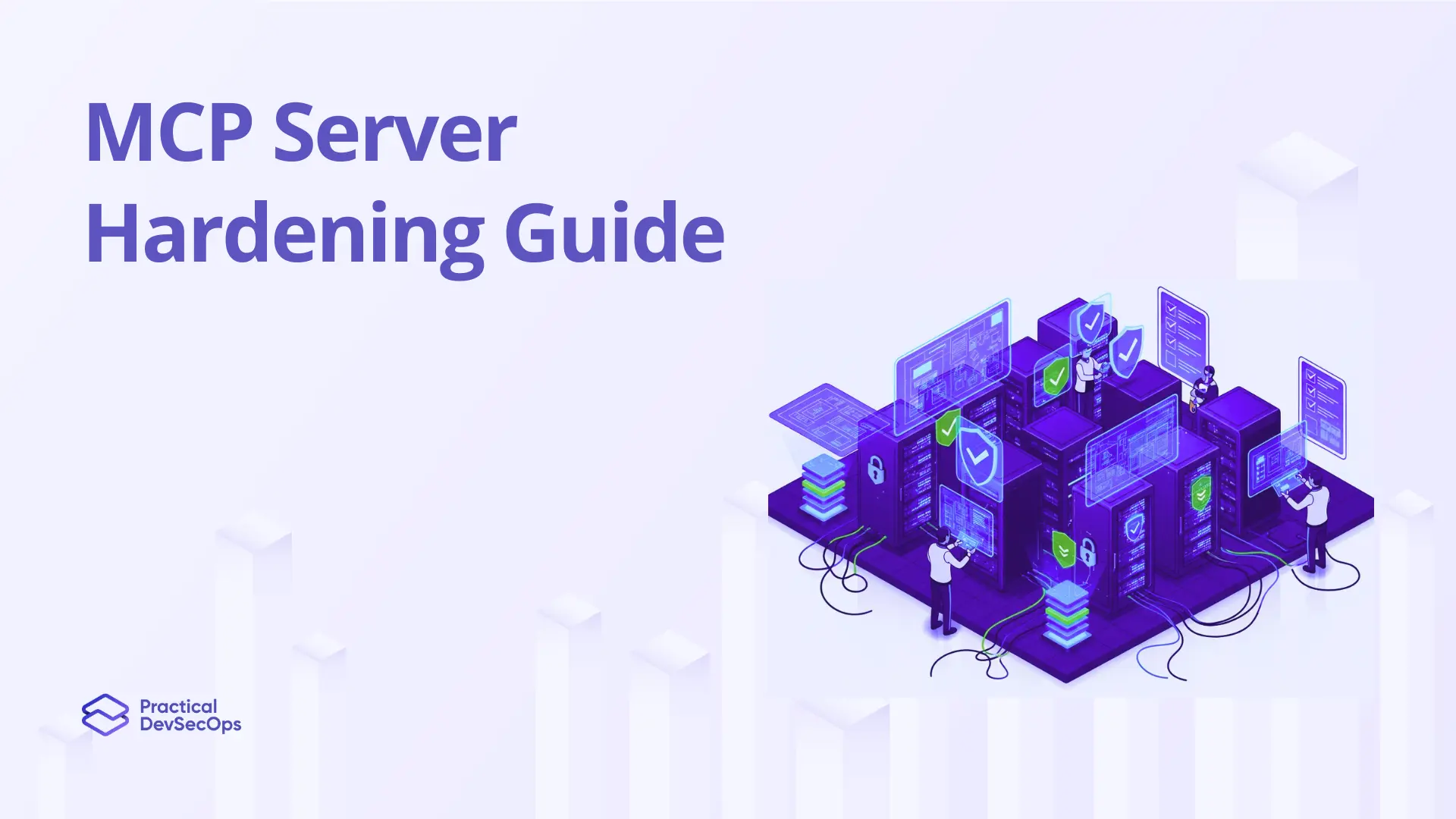
This guide covers that residual surface systematically. Seven hardening domains, each with the specific configuration that closes the attack surface, working code or configuration for implementation, and a verification test that confirms the control is working before the server goes live. The guide ends with a pre-deployment security gate. A CI/CD check that blocks any server configuration with open findings from reaching production, regardless of how much deadline pressure exists at release time.
The MCP Server Attack Surface: What Hardening Actually Addresses
An MCP server hardening approach systematically reduces attack surface at the network, process, container, dependency, secrets, and runtime layers. Applied on top of authentication and authorization controls. Addressing the residual risk that access controls alone do not eliminate. A hardened MCP server assumes the authentication layer has been breached and asks: what can an attacker do from that position? Hardening minimizes the answer to that question.
Attack Surface Map
NETWORK LAYER
  ├── Unrestricted inbound connections      → Direct attack from unauthorized hosts
  └── Unrestricted egress                   → Exfiltration channel if injected

PROCESS LAYER
  ├── Root process execution                → Full host compromise if process escapes
  └── Excess Linux capabilities             → Privilege escalation paths

CONTAINER LAYER
  ├── Writable root filesystem              → Persistence for injected payloads
  └── No seccomp profile                    → Kernel attack surface exposed

DEPENDENCY LAYER
  ├── Unpinned package versions             → Supply chain substitution attacks
  └── Known-CVE dependencies                → Direct exploitation of known vulns

SECRETS LAYER
  ├── Credentials in env vars               → Exposed in crash dumps / logs
  └── Long-lived static secrets             → No rotation = persistent access after breach

RUNTIME LAYER
  ├── No behavioral baseline                → Anomalous activity undetected
  └── No infrastructure monitoring          → Process / network anomalies invisible
Each row in this map is an independent attack path. An attacker who compromises the authentication layer doesn’t need all of them. They need one. Hardening means closing as many as possible so that a breach of the outermost control doesn’t automatically become a breach of the innermost data. Defense in depth for MCP is not a philosophy. It is a specific set of configurations applied at each layer above.
Domain 1: Network Isolation
HD-01: Network Isolation and Egress Control
Severity: CRITICAL
The MCP server should accept inbound connections from exactly one set of hosts: the authorized agent runtimes. Every other host—including other internal services, developer workstations, and external networks—should be unable to reach the MCP endpoints. Egress should be equally constrained: the server should be able to connect only to the downstream services its tools require, not to arbitrary external endpoints.
Kubernetes NetworkPolicy
# mcp-server-netpol.yaml
# Deny all traffic by default, allow only agent runtimes inbound

apiVersion: networking.k8s.io/v1
kind: NetworkPolicy
metadata:
  name: mcp-server-isolation
  namespace: ai-agents
spec:
  podSelector:
    matchLabels:
      app: mcp-server
  policyTypes: [Ingress, Egress]

  ingress:
    # Allow ONLY from agent runtime pods
    - from:
        - podSelector:
            matchLabels:
              role: agent-runtime
      ports:
        - port: 8443
          protocol: TCP

  egress:
    # Allow only declared downstream tool targets
    - to:
        - podSelector:
            matchLabels:
              role: tool-backend
    # DNS only — no arbitrary external egress
    - to:
        - namespaceSelector: {}
      ports:
        - port: 53
          protocol: UDP
Verification Checklist
- Inbound connections restricted to authorized agent runtime IPs / pods only — AUTOMATED
- All other inbound traffic denied by default at network policy layer — AUTOMATED
- Egress restricted to declared tool backend services and DNS only — AUTOMATED
- Verified: nmap scan from unauthorized host returns no open ports — VERIFY
# Build on minimal distroless base
FROM gcr.io/distroless/nodejs20-debian12 AS base

# Create non-root service account in build stage
FROM node:20-alpine AS builder
RUN addgroup -S mcpserver && adduser -S -G mcpserver mcpserver

WORKDIR /app
COPY package*.json ./
RUN npm ci --only=production
COPY . .

# Production stage — non-root, read-only, no shell
FROM base
COPY --from=builder /etc/passwd /etc/passwd
COPY --from=builder /app /app

USER mcpserver
EXPOSE 8443
ENTRYPOINT ["/nodejs/bin/node", "/app/server.js"]
Kubernetes SecurityContext
securityContext:
  runAsNonRoot: true
  runAsUser: 10001              # mcpserver UID
  runAsGroup: 10001
  readOnlyRootFilesystem: true
  allowPrivilegeEscalation: false
  capabilities:
    drop: ["ALL"]               # Drop every capability
    add: []                      # Add back none — MCP needs none
  seccompProfile:
    type: RuntimeDefault
Verification Checklist
- MCP server process runs as non-root UID — confirmed with ps aux in container — AUTOMATED
- ALL Linux capabilities dropped — none added back — AUTOMATED
- Root filesystem set to read-only — write attempts return EROFS — AUTOMATED
- seccomp profile applied — RuntimeDefault or custom profile — AUTOMATED Privilege escalation disabled — Allow
- PrivilegeEscalation: false — AUTOMATED
Domain 3: Dependency and Supply Chain Security
HD-03: Dependency Scanning, Pinning, and SBOM Generation
Severity: CRITICAL
The MCP server’s dependency tree is a supply chain. Every package it imports is a potential injection point for a compromised package maintainer, a dependency confusion attack, or a known-CVE exploit that was never patched because no one was scanning. In a server that handles AI agent tool invocations, a compromised dependency can intercept tool parameters, modify tool responses, or exfiltrate session data. All without touching the MCP server’s own code.
GitHub Actions SCA Pipeline
# .github/workflows/mcp-security.yml

name: MCP Server Security Gate
on: [push, pull_request]

jobs:
  dependency-scan:
    runs-on: ubuntu-latest
    steps:
      - uses: actions/checkout@v4

      # Audit with npm — fail on high/critical
      - name: npm audit
        run: npm audit --audit-level=high

      # Snyk for deeper CVE detection + licensing
      - name: Snyk dependency scan
        uses: snyk/actions/node@master
        with:
          args: "--severity-threshold=high --fail-on=all"
        env:
          SNYK_TOKEN: ${{ secrets.SNYK_TOKEN }}

      # Generate SBOM — store as build artifact
      - name: Generate SBOM
        run: npx @cyclonedx/cyclonedx-npm --output-file sbom.json

      - name: Store SBOM artifact
        uses: actions/upload-artifact@v4
        with:
          name: sbom-${{ github.sha }}
          path: sbom.json
Supply Chain Risk: Dependency Confusion
The dependency confusion risk specific to MCP servers: MCP server packages frequently have similar names to internal tooling packages. An attacker who registers a public package with the same name as an internal MCP dependency can cause the server to install the malicious version if the package manager resolution order is not explicitly configured. Pin all dependencies to exact versions and configure your package manager to prefer the internal registry for all packages matching your organization’s namespace.
Verification Checklist
- All dependencies pinned to exact versions — no semver ranges in package.json — SETUP
- SCA scan blocking on high/critical CVEs in CI pipeline — AUTOMATED
- SBOM generated and stored at each build — CycloneDX or SPDX format — AUTOMATED
- Package manager configured to prefer internal registry for org-namespaced packages — SETUP
- Dependabot or equivalent configured for automated PR on new CVEs — AUTOMATED
Domain 4: Secrets Management at Runtime
HD-04: Runtime Secrets Injection and Zero-Persistence Credentials
Severity: CRITICAL
Credentials that exist in environment variables, configuration files, or container image layers at build time are credentials that can be extracted without breaching the application layer. Process memory. Crash dumps. Log aggregation pipelines. Image scanning failures. Kubernetes secret misconfiguration. All extraction paths that exist independently of whether your authentication code is correct. The only defense is credentials that don’t exist in those locations. Fetched at runtime from a secrets manager and never persisted to disk or inherited by child processes.
JavaScript: Runtime Vault Secret Fetch
// server-init.js — credentials fetched at startup, never stored

import vault from 'node-vault';

async function fetchMCPCredentials() {
  const client = vault({
    endpoint: process.env.VAULT_ADDR,  // Only Vault addr in env
    apiVersion: 'v1'
  });

  // Auth via Kubernetes service account — no static token
  await client.kubernetesLogin({
    role: 'mcp-server',
    jwt: readFileSync('/var/run/secrets/kubernetes.io/serviceaccount/token', 'utf8')
  });

  const { data } = await client.read('mcp/data/prod/credentials');

  // Return — caller stores in module scope, NOT process.env
  return {
    jwt_public_key: data.data.jwt_public_key,
    tool_api_keys: data.data.tool_api_keys,
    db_password: data.data.db_password
  };
}

// Used exactly once at startup — credentials bound to module scope
export const credentials = await fetchMCPCredentials();Verification Checklist
- No credentials in Dockerfile ENV, docker-compose environment, or .env files — SETUP
- Image scanning confirms no secrets in image layers (Trivy secret scan) — AUTOMATED
- All credentials fetched from secrets manager at runtime startup — SETUP
- Credentials stored in module scope — never written to process.env or disk — SETUP
- gitleaks or truffleHog pre-commit hook blocking secret commits to repository — AUTOMATED
Domain 5: TLS Configuration Hardening
HD-05: TLS 1.3 Enforcement and Certificate Pinning
Severity: HIGH
Requiring HTTPS is the baseline. Hardened TLS means enforcing TLS 1.3 minimum, disabling weak cipher suites, validating certificates rigorously on both sides for internal deployments, and rotating certificates automatically before expiry. An MCP server running TLS 1.2 with broad cipher support is more exposed than one running TLS 1.3 with a restricted suite. Even if both require HTTPS.
JavaScript: Hardened TLS Server Config
// TLS 1.3 only, restricted cipher suite, cert rotation hooks

import { createServer } from 'https';
import { readFileSync } from 'fs';

const tlsOptions = {
  // TLS 1.3 only — drop 1.2 and below entirely
  minVersion: 'TLSv1.3',
  maxVersion: 'TLSv1.3',

  // Explicit cipher restriction — no legacy suites
  ciphers: [
    'TLS_AES_256_GCM_SHA384',
    'TLS_CHACHA20_POLY1305_SHA256',
    'TLS_AES_128_GCM_SHA256'
  ].join(':'),

  // Server certificate — fetched from secrets manager
  key: tlsPrivateKey,
  cert: tlsCertificate,

  // For internal deployments: require client cert (mTLS)
  requestCert: true,
  rejectUnauthorized: true,
  ca: [internalCA],

  // Disable session resumption — prevents downgrade paths
  sessionIdContext: 0,
};

const server = createServer(tlsOptions, app);
server.listen(8443);
Verification Checklist
- TLS 1.3 enforced — TLS 1.2 and below connections rejected — AUTOMATED
- Cipher suite restricted to TLS 1.3 suites only — SETUP
- Certificate expiry monitored — alert at 30 days remaining, auto-rotate at 14 days — AUTOMATED
- Verified:
testssl.shscan shows no TLS 1.2, no weak ciphers, no BEAST/POODLE — VERIFY
Domain 6 — Runtime Behavioral Monitoring
HD-06: Behavioral Baselines and Anomaly Detection
Severity: HIGH
Hardening reduces the attack surface. Monitoring detects activity on whatever surface remains. For MCP servers, behavioral monitoring has a clear signal structure: normal operation follows predictable patterns of tool invocations per session, per agent role, per task type. Deviations from that baseline—unauthorized tool attempts, burst invocation rates, session durations exceeding expected task completion time—are the earliest observable indicators of active injection or credential misuse.
JavaScript: Structured Audit Log Emitter
// Every event logged with full context for SIEM ingestion

export function auditLog(eventType, context) {
  const entry = {
    timestamp: new Date().toISOString(),
    eventType,           // TOOL_INVOKED, AUTH_FAILURE, etc.
    agentId: context.agentId,
    agentRole: context.agentRole,
    sessionId: context.sessionId,
    toolName: context.toolName || null,
    paramsHash: context.paramsHash || null,  // Hash not raw params
    outcome: context.outcome,                 // ALLOWED / DENIED / ERROR
    sourceIP: context.sourceIP,
    durationMs: context.durationMs || null,
    serverId: SERVER_ID
  };

  // Write to stdout — log aggregator picks up and ships to SIEM
  process.stdout.write(JSON.stringify(entry) + '\n');
}
Key Alert Definitions
Alert: Unauthorized tool attempt
Any DENIED outcome on TOOL_INVOKED where the tool is not in the session allowlist. This is the highest-signal prompt injection indicator. Threshold: any occurrence. SIEM rule: event=TOOL_INVOKED AND outcome=DENIED → P1 alert, 5-minute response SLA.
Alert: Burst invocation pattern
Tool invocations exceeding 3× the established baseline rate for the agent’s role within a 60-second window. Indicates either an active injection or a runaway agent loop. Threshold: 3× baseline. Action: session rate-limit, alert security team.
Alert: Session duration anomaly
Sessions exceeding 2× the median session duration for the declared task type. Long-running sessions are the behavioral signature of an agent that has been redirected from its original task. Baseline per task type, alert on statistical outliers beyond 2 standard deviations.
Alert: Auth failure spike
Three or more authentication failures from the same agent identity within 60 seconds. Indicates either a credential rotation failure (operational) or an active brute-force attempt (security). Both require immediate investigation.
Verification Checklist
- Structured JSON audit logs emitted to stdout — no raw log files on disk — SETUP
- SIEM ingestion pipeline confirmed — tool invocation logs appearing in SIEM — VERIFY
- Behavioral baseline established per agent role and task type — SETUP
- Alert rules active: unauthorized tool attempt, burst pattern, session duration, auth spike — AUTOMATED
- Alert routing confirmed — P1 alert reaches on-call within 5 minutes — VERIFY
Domain 7 — The Pre-Deployment Security Gate
Every hardening control in this guide is bypassed when a team is under deadline pressure and there is no automated gate preventing a misconfigured server from reaching production. The pre-deployment gate makes bypassing optional hardening controls operationally expensive. It requires a deliberate override that creates an audit trail, rather than simply not running a manual checklist.
The pre-deployment gate should not be a manual approval process. Manual gates are consistently skipped under deadline pressure. The gate should block the deployment pipeline automatically and require a named security engineer to provide a documented exception with a remediation commitment before the override takes effect.
Pre-Deployment Security Gate: MCP Server
CI/CD automated check · Deploy blocked on any ✕
Authentication & Transport
- ✕ Authentication not enforced on all MCP endpoints — BLOCKS DEPLOY
- ✕ TLS 1.3 not configured — plaintext HTTP connections accepted — BLOCKS DEPLOY
- ✕ TLS certificate expiry within 14 days with no rotation scheduled — BLOCKS DEPLOY
Process & Container Security
- ✕ Container running as root UID (runAsNonRoot: false) — BLOCKS DEPLOY
- ✕ Linux capabilities not dropped (ALL not in drop list) — BLOCKS DEPLOY
- ✕ Root filesystem writable (readOnlyRootFilesystem: false) — BLOCKS DEPLOY
- ! No seccomp profile configured — WARNING + LOG
Dependencies & Secrets
- ✕ Critical or high CVEs detected in dependency tree — BLOCKS DEPLOY
- ✕ Secrets detected in image layers, env vars, or config files — BLOCKS DEPLOY
- ! SBOM not generated for this build — WARNING + LOG
Manifest & Observability
- ✕ Tool manifest not hashed and registered in manifest integrity store — BLOCKS DEPLOY
- ✕ Audit logging not configured — no SIEM destination reachable — BLOCKS DEPLOY
- ! No behavioral alert rules confirmed active in SIEM — WARNING + LOG
- ✓ Network policy deployed and validated in staging environment — REQUIRED PASS
Implementation in Practice
The gate checks map directly to three tool categories already available in most CI/CD pipelines:
- kube-score or checkov for container and Kubernetes security configuration
- trivy for CVE and secret scanning
- A custom script that calls your SIEM’s API to verify log pipeline connectivity
Total pipeline addition: under 4 minutes. Total findings blocked from production: everything in the BLOCKS DEPLOY rows above.
Conclusion
Start with the pre-deployment gate in warning-only mode. Don’t block yet; just surface findings. Run it for one sprint to establish a baseline of current state across all MCP deployments. In sprint two, flip warnings to blocks for the three critical items: root execution, secrets in image layers, and missing auth. By sprint three, all BLOCKS DEPLOY items are enforced. This sequence surfaces the full problem space before adding friction to the deployment pipeline, which prevents the backlash that kills security gate programs before they’re fully adopted.
FAQs
What is MCP server hardening?
MCP server hardening is the systematic reduction of attack surface at the network, process, container, dependency, secrets, and runtime layers. Applied on top of authentication and authorization controls. It addresses the residual risk that access controls alone do not eliminate. A hardened MCP server assumes the authentication layer has been breached and asks: what can an attacker do from that position? Hardening minimizes the answer by removing unnecessary privileges, isolating the server from unauthorized networks, eliminating vulnerable dependencies, and removing credentials from locations where they can be extracted without breaching the application.
What are the most important MCP server hardening controls for production?
The seven highest-impact controls are: network isolation restricting inbound connections to authorized agent runtimes only, non-root process execution with dropped Linux capabilities, container security with read-only root filesystem and seccomp profile, dependency scanning blocking on high/critical CVEs, runtime secrets injection with no credentials in environment variables or image layers, structured audit logging shipped to SIEM with behavioral alert rules active, and an automated pre-deployment gate that blocks misconfigured servers from reaching production.
Should MCP servers run in containers?
Yes. Containerization is strongly recommended for production MCP server deployments. It provides process isolation, enables read-only filesystem enforcement, makes capability dropping straightforward to configure and audit, and creates a consistent hardening baseline across deployment environments. The container image should be built from a minimal distroless base, scanned for CVEs and secrets before each deployment, and run with all Linux capabilities dropped and a seccomp profile applied. Container isolation is one containment layer. It doesn’t replace network isolation or authentication controls.
How do you monitor MCP server security in production?
Production MCP server monitoring requires instrumentation at three layers: application-layer structured logging of every tool invocation, authentication event, and authorization decision shipped to SIEM; behavioral-layer alerting on unauthorized tool attempts, burst invocation patterns, and anomalous session durations compared against established baselines; and infrastructure-layer monitoring for process anomalies and unexpected network connections from the server process. The single highest-signal alert is unauthorized tool invocation attempt. Any DENIED outcome on a tool invocation where the tool was not in the session allowlist is an active injection indicator.
What should a pre-deployment security gate for MCP servers check?
The gate should block deployment on: authentication not enforced on all endpoints, TLS 1.3 not configured, critical or high CVEs in the dependency tree, secrets detected in image layers or environment variables, container running as root, Linux capabilities not dropped, root filesystem writable, tool manifest not registered in the integrity store, and audit logging not configured. These checks map to tools already available in most CI/CD pipelines. kube-score or checkov for configuration, trivy for CVE and secret scanning. Add under four minutes to pipeline run time.
How does MCP server hardening relate to CMCPSE certification?
The Certified MCP Security Expert (CMCPSE) from Practical DevSecOps includes hands-on labs covering MCP server hardening. From container security configuration and dependency scanning pipeline integration through behavioral monitoring implementation and pre-deployment gate design. Practitioners who earn the CMCPSE can implement and audit the full hardening stack described in this guide in production environments. Early registration is open at practical-devsecops.com ahead of the June 2026 launch.